











Please ensure Javascript is enabled for purposes of website accessibility
PRC-Saltillo Logo
PRC Logo
Saltillo Logo
Realize Language Logo
ExploreAAC Logo
AAC Language Lab Logo
AAC And Autism Logo
ALP for AAC Logo
Touch Chat App Logo
LAMP Words for Life Logo
Dialogue AAC App
AAC Funding
AAC Learning Journey
AAC Group Coaching
PRC-Saltillo Store
Minspeak Academy
https://auth.prc-saltillo.com/v1/authorize?response_type=code&redirect_uri=https://prc-saltillo.com/login&client_id=prcsaltillo&nonce=ab5588dfe3135e7f2bd4ee36a67a75fa&state=3d16ef0ca21bddc70fd553ce2d8f5792&scope=admin.read+address.write+area.read+email.read+openid.read+phone.write+profile.write+service.write+software.read+terms.write+title.write+user.write+verification.write Create New Account

We only use strictly necessary cookies for this website. Please see the privacy policy for more information.   


It’s time to update your PRC-Saltillo AAC apps to version 2025.5 and experience the best of LAMP Words for Life®, TouchChat®, Unity® AAC, and Dialogue® AAC.

What’s New in All PRC-Saltillo Apps

Automatically Save Your Vocabulary Files

You now have the option to set up an automatic backup for your vocabulary files to either iCloud®, Google Drive, or Dropbox. With this new feature, your files back up automatically soon after you edit a file. Plus, the latest three versions of your vocabulary are stored.

  • Current customers: update your app and the Automatic Backup option will appear in the menu
  • New customers: you will be prompted to set up Automatic Backup when you onboard your app

Watch the video to learn more and start auto-saving today. This video features TouchChat. Find similar videos for other apps on our YouTube channel!

New! Poppins Font

Introducing Poppins – the newest font option for iOS apps! Poppins was selected as the font letters reflect the way we teach emergent communicators to write the letters “a” and “g” like in the image below.

Poppins font

Poppins is the new default font for LAMP Words for Life vocabulary. Try this font for text on your vocabulary buttons as well as in the speech display bar.

Almagu Voice Engine Update

Our friends at Almagu made more improvements for your best voice experience.

File Icon Update

If you have more than one PRC-Saltillo app on your iOS device, you may have noticed that all our apps use the same file type now. However, vocabulary files are still specific to each app. For example, a TouchChat vocabulary file won’t open in Unity AAC and a Unity AAC file won’t open in LAMP Words for Life.

Removing iOS 15 Support

Starting with version 2025.5, PRC-Saltillo will no longer provide support for apps on iOS 15. You are strongly encouraged to update your iPhone® or iPad® to iOS 16 or later, ideally the latest version, to access all the updates and features your AAC app has to offer.

  • Current users who are unable to update to iOS 15 may continue using their app at version 2025.4.1 for TouchChat, Unity, and Dialogue, or 2025.4.2 for LAMP Words for Life
  • New users will not be able to purchase our four AAC apps on a device running less than iOS 16

If you have any questions, please contact support@aacapps.com.

What’s New in LAMP Words for Life

Introducing German 1-Hit and Full Vocabulary Files

Expanding AAC access around the world is our passion. We are excited for German communicators to have LAMP Words for Life in their language:

  • Deutsch Komplett
  • Deutsch 1-Hit

LAMP Words for Life German

Try it out in LAMP Words for Life Discover free for 30 days which includes German Almagu and Acapela voices and static communication board.

Did you know that PRC-Saltillo has a subsidiary in Germany? Visit the Prentke Romich Deutschland website to learn more!

New Vocabulary for LAMP Words for Life Español Completo

Explore the nearly 200 words added to the Spanish Full vocabulary file. These changes complement the English Full file and will improve the bilingual communication experience.

What’s New in LAMP Words for Life and Unity AAC

Add Verbs with Ease

The new “Add Verb Page” lets you add all the conjugations of a verb quickly and easily. Simply enter the root verb form and the built-in dictionary does the rest of the work for you!

Watch this how-to video to learn more about adding verbs to Unity AAC. Or check out this one specific to LAMP Words for Life.

Pro Tip: Current app customers, try this new feature after prepping your file:

  1. Import the “template verb” page into your customized vocabulary
  2. Set the “template verb” page as a special “grammar page”
  3. Start adding verbs with ease

Watch this video for bringing the “template verb” page into your already customized file once you've updated your app to 2025.5

What’s New in Unity AAC

Static Symbol Set

Check out the new Static Symbols! If you’re familiar with Unity® and Minspeak® on other devices, you may know this symbol set by another name such as Standard Symbols. Turn this feature on by going into your customized vocabulary, then Menu > Vocabulary Settings to toggle Static symbols ON or OFF.
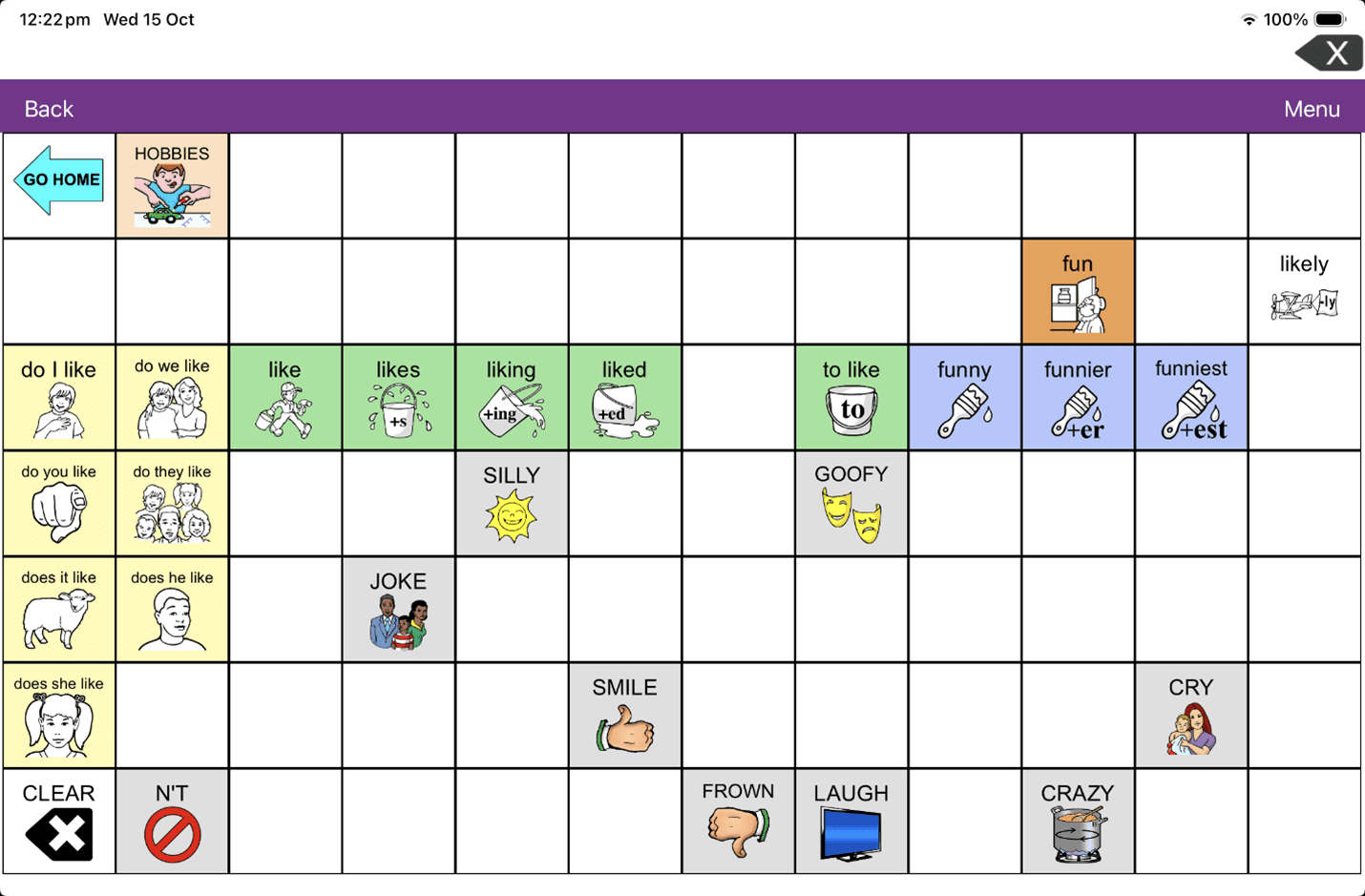
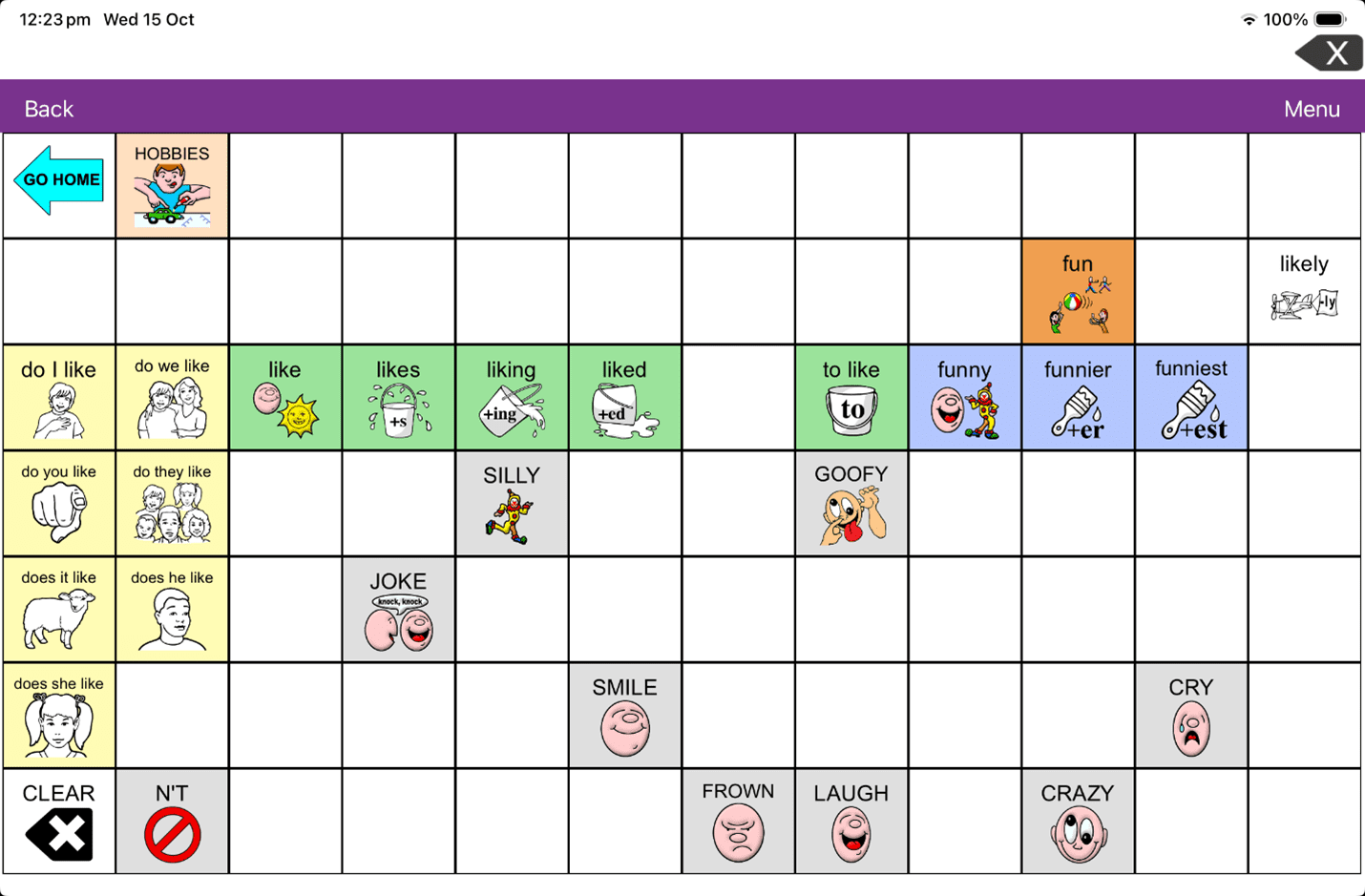
  • Toggle Static Symbols “ON” in your customized vocabulary file and the same symbols from the home screen will be used on every page

Toggle Static On

  • Toggle Static Symbols “OFF” and your file will show default symbols—a more extensive set of symbols (this is the default option)

Toggle Static Off

Pro Tip: Choose the symbols that work best for your communicator. If a smaller number of symbols is helpful, toggle “on” Static Symbols. If the additional symbols are working well, keep Static Symbols turned “off.”

Unity AAC Vocabulary Updates

  • A “PAUSE SPEECH” button is now available on the top row of all vocabularies
  • A Word Finder button is now available on the “KEYBOARD” page of Unity 36 Sequenced

What’s New in TouchChat HD

WordPower Vocabulary Updates

All WordPower Files

  • The Writing to Apps page now has buttons for Timer and Chat GPT
  • A calculator button was added to the number pages in WordPower files 42 through 120

WordPower48 Basic

  • Try the new clear-display option added to the gesture down swipe and start again with a blank speech display window for your next communication
  • A button for “it again” now follows do on the main page making this frequent phrase even more accessible
  • Use the new button for “Danny Go” on the TV page to talk about this popular show
  • Logical next words for go >  that > way have been added to help your communicator give directions

WordPower 48 Basic Danny Go

WordPower60 Basic

  • Use the new button for “Danny Go” on the TV page to talk about this popular show
  • Logical next words for go > that > way have been added to help your communicator give directions
  • Logical next words after “turn” have been shifted on the main page so you can repeat the word turn
  • Explore the three new ACTION subcategories: HYGIENE, MOVEMENT, COMMUNICATION to find words that help you talk about these topics
  • A button for “several” was added to the TIME page
  • A button for “beautiful” was added to the DESCRIBE2 page
  • A button for “allergic” was added to the DESCRIBE A-Z

WordPower 60 Basic allergic

  • A button for “idea” was added to the “-any” page so you can say “Do you have any ideas?”

WordPower 60 Basic do you have ideas

  • The WEATHER page now lets communicators more easily say statements like “It was a beautiful, sunny day”
  • The HEALTH page now includes buttons for “appointment” and “with” so you can talk about doctor or therapy visits more efficiently

WordPower 60 Basic appointment


PRC-Saltillo and Building Wings Partnership

PRC-Saltillo and the AAC Language Lab® are teaming up with Building Wings™ to share even more classroom resources for LAMP Words for Life® and Unity® AAC users, focusing on language, literacy, and communication support. This collaboration provides educators with practical tools tailored for AAC learners, especially from third grade and up through the Readtopia® curriculum. Learn more!



Apps